

How to Configure LLM Providers and Models in Octop
Octop ships built-in presets for a wide range of LLM backends and lets you add any custom endpoint. Providers are managed by admins under Management → Models; the models they expose then feed a shared pool that every agent can draw from.
Add a provider
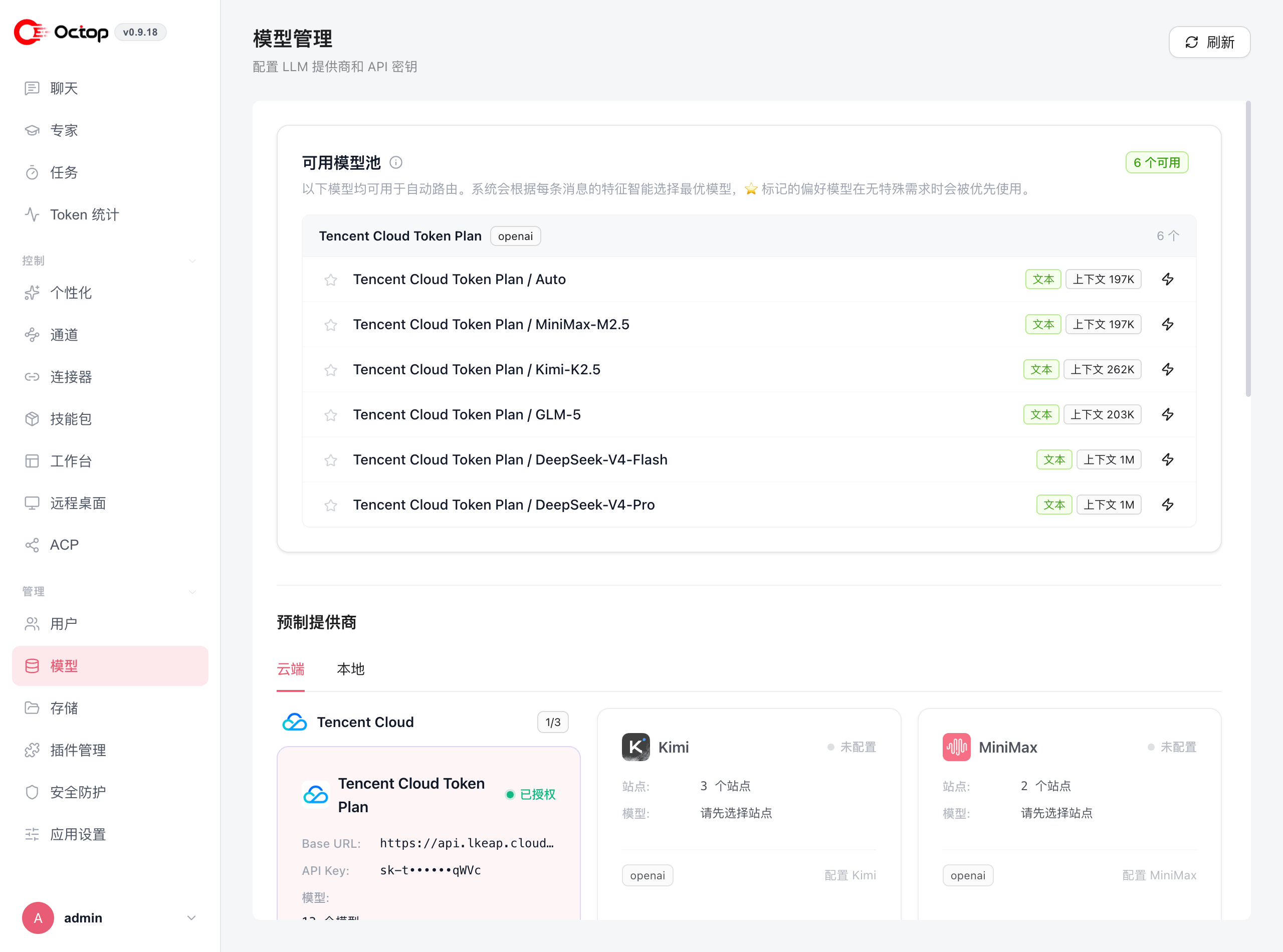
Pick a built-in preset from Cloud or Local, enter your API key, and enable it. The provider's models immediately become available to agents under your account. Voice and search settings live on this same Models page.
Built-in provider presets
The Cloud tab covers hosted services:
Tencent Cloud includes Token Plan, Token Plan Enterprise (CN), Coding Plan, and Hy Token Plan variants. Hy models such as hy3 expose reasoning status automatically when the provider supports it.
The Local tab ships an Ollama (Local) preset pointing at http://localhost:11434/v1. If you need something else entirely, use Custom provider to supply your own base URL and key.
Presets are labelled by the API protocol they speak — openai for the OpenAI chat completions spec and anthropic for the Anthropic Messages API. Any endpoint that follows one of those specs works as a custom provider.
The available model pool and auto-routing
Every model from an enabled provider joins the available model pool at the top of the page. Octop can route each message automatically, choosing the model that best fits that message. Models you mark with a star are preferred when nothing about the request calls for something else.
Each model in the pool shows its modality and context window, so you can see at a glance which ones handle long inputs.
Use Test connection after entering credentials. Octop maps common authentication, quota, rate-limit, and provider-availability failures to localized guidance so you can fix the provider without reading raw upstream errors first.
Set a model for an agent
Agents fall back to the global default unless you assign a model to them specifically. Override it per agent when you want, for example, a cheaper model for everyday chat and a stronger one for complex work.
Each account can also store a preferred model and per-model reasoning defaults under personal settings. Those preferences apply to new turns for that user and do not change the shared provider catalog.
To configure providers and models from the terminal, use octop models config, octop models list, and octop models active — see Agent commands.
Use Ollama for local models
Enable the Ollama (Local) preset under the Local tab. No API key is required; Octop talks to your Ollama instance at http://localhost:11434/v1.
Ollama must be running before you send the first message to an agent that uses it. Use octop models ollama-list and octop models ollama-pull to inspect and download local models.
Knowledge-base models
Knowledge bases can index documents on this machine or through an online embedding model. Administrators pick the model under Knowledge Bases → Knowledge base settings, or download a local model on Models. See Knowledge bases.
Volcengine image and video
When a Volcengine (Ark) provider is enabled, you can configure Seedream image and Seedance video generation, test the models, and preview results from the web UI. These generation models are separate from chat completions.