

Expert Templates and MBTI Personas in Octop
Octop gives you two complementary tools for customising agent behaviour: expert templates and MBTI personas. Expert templates are pre-configured agent blueprints optimised for specific tasks. MBTI personas are personality profiles that determine how an agent communicates: its tone, reasoning style, response format, and interpersonal approach. You can combine them freely — instantiate an expert template and then assign it any persona you choose.
Expert library
Octop bundles an expert library of pre-configured agent templates. At boot, Octop scans the library directory and registers every template so it is immediately available to all users.
Browse and instantiate templates from the web UI:
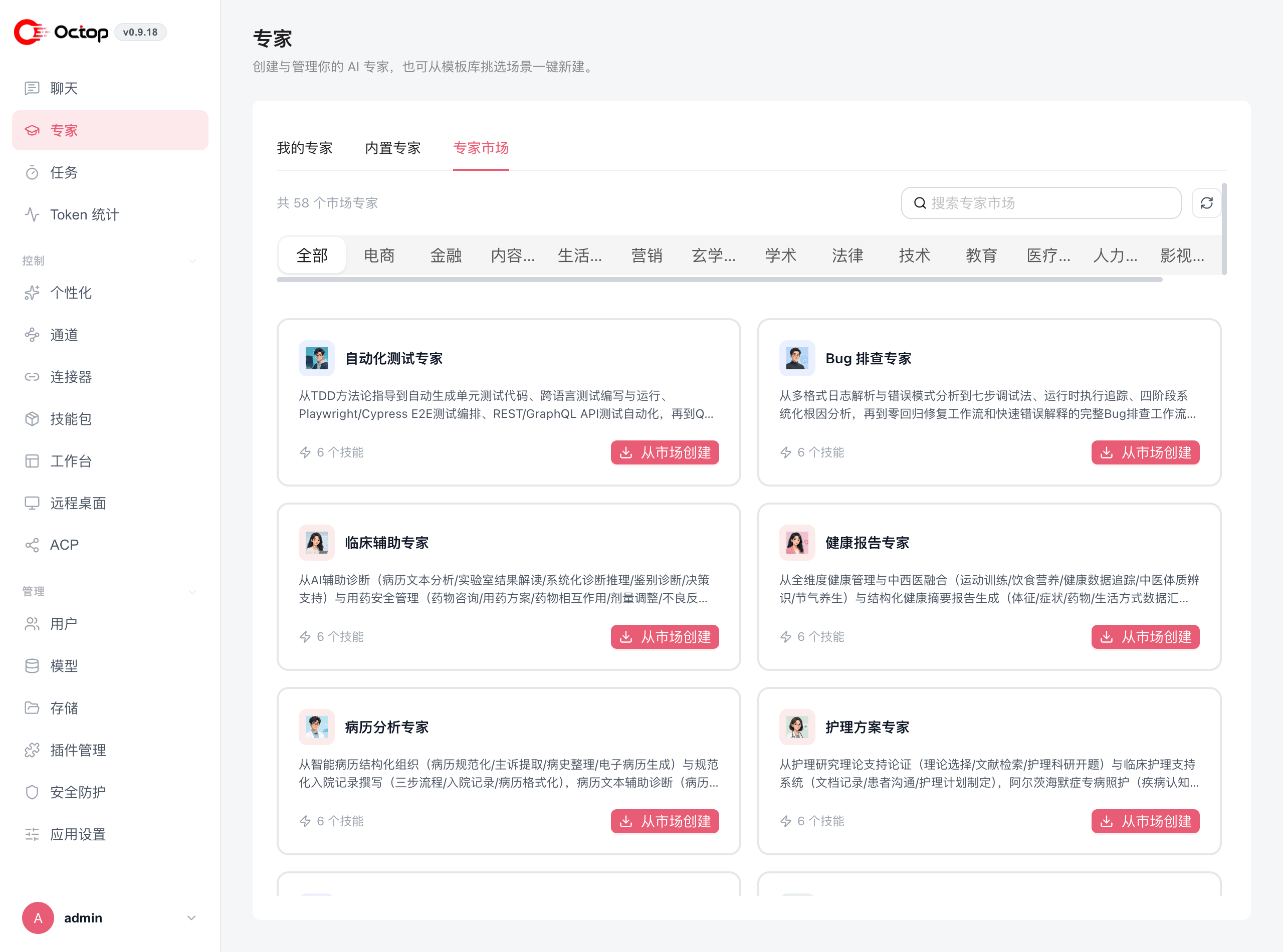
Use expert templates as starting points rather than building agents from scratch. They already have sensible skill sets and system prompts for their intended tasks. For CLI instantiation (octop agent experts, octop agent from-expert), see Agent commands.
Publish your own template
From an existing agent you can publish a snapshot to the expert market. Other users install it as their own private agent. You can include a custom avatar and a welcome message.
Sharing an agent lets others open the live agent. Publishing copies a template and leaves the original running.
MBTI personas
Octop ships 16 personality profiles based on the MBTI framework. When you assign a persona to an agent, Octop renders a SOUL.md file into the agent's workspace. That file becomes the backbone of the agent's system message — it defines answer style, approach to creativity, conflict handling, planning behaviour, and more.
If you also set a custom system prompt on the agent, it is appended to the persona backbone. The persona provides the character; your system prompt adds the role-specific instructions on top.
All 16 persona codes
Set a persona
Personas are assigned per agent:
Select the agent at the top of the page, then pick one of the 16 personas. Each card shows the persona's trait balance across the four MBTI axes, grouped into Analysts, Diplomats, Sentinels, and Explorers. The agent reloads automatically and picks up the new SOUL.md.
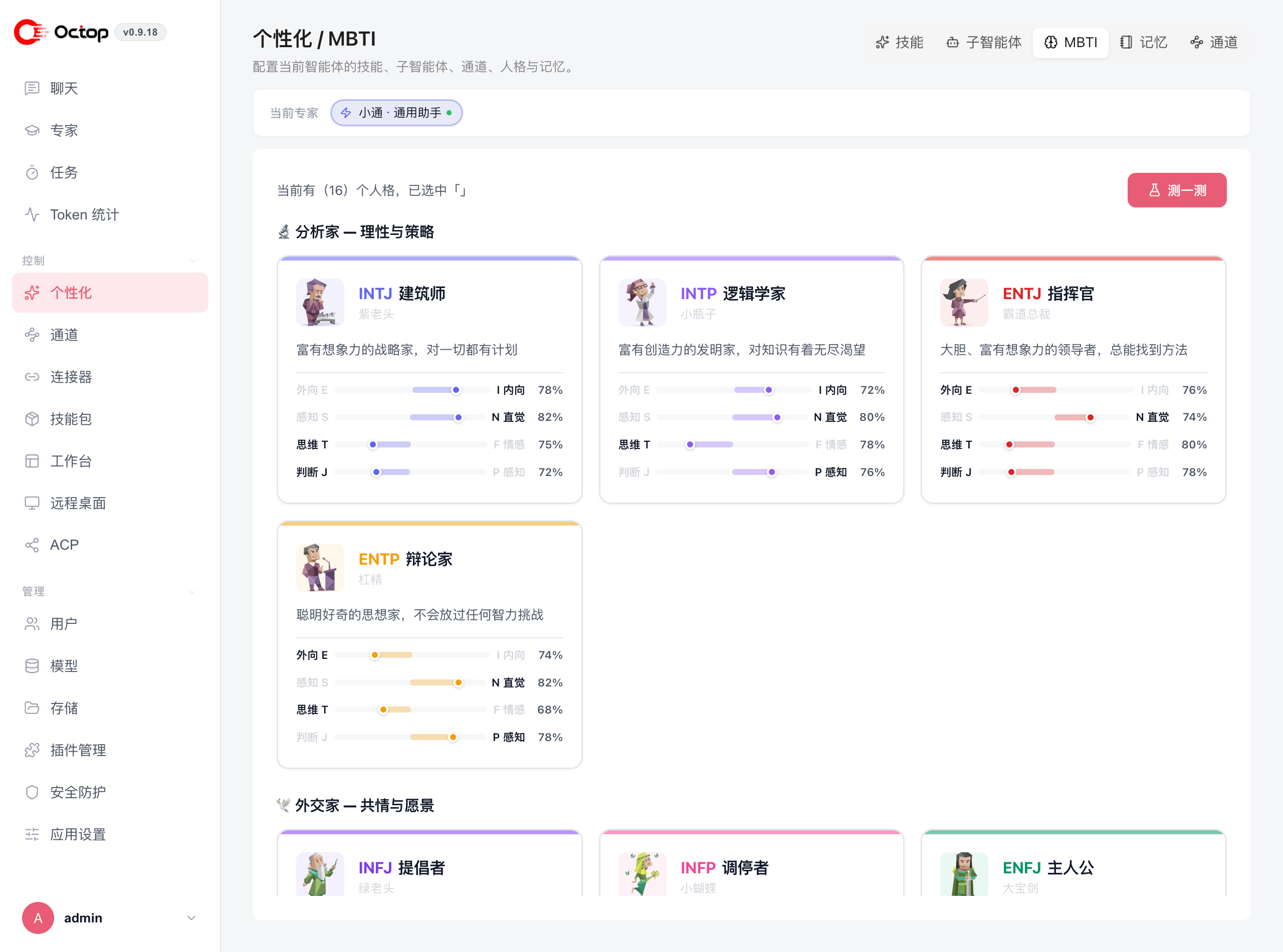
You can also pass --persona-mbti when creating an agent via the CLI — see Agent commands.
Discover your persona with the interactive quiz
Not sure which code fits your agent? Click Take the quiz in the top-right of the MBTI page to answer a short set of questions. Octop recommends a persona based on your answers, which you can accept or override.
Combine experts and personas
Personas and expert templates can apply to the same agent — the persona shapes how it speaks, the expert template shapes what angle it thinks from. For example, an ENTJ persona with a product-manager expert template gives direct, goal-driven product advice.
If you leave the persona unset, Octop falls back to a built-in default tone — warm, direct, and competent. You can still add a custom system prompt without selecting any MBTI code.