

Connectors: Extend Agents with Built-in Apps and MCP
Connectors give your agents access to external services and tools. Octop groups them into built-in connectors — ready-made integrations you authorise once — and custom connectors, which are MCP servers you point Octop at yourself. You can create multiple instances of the same connector and share an instance with other people on this instance. During a conversation you pick which instances the agent may use.
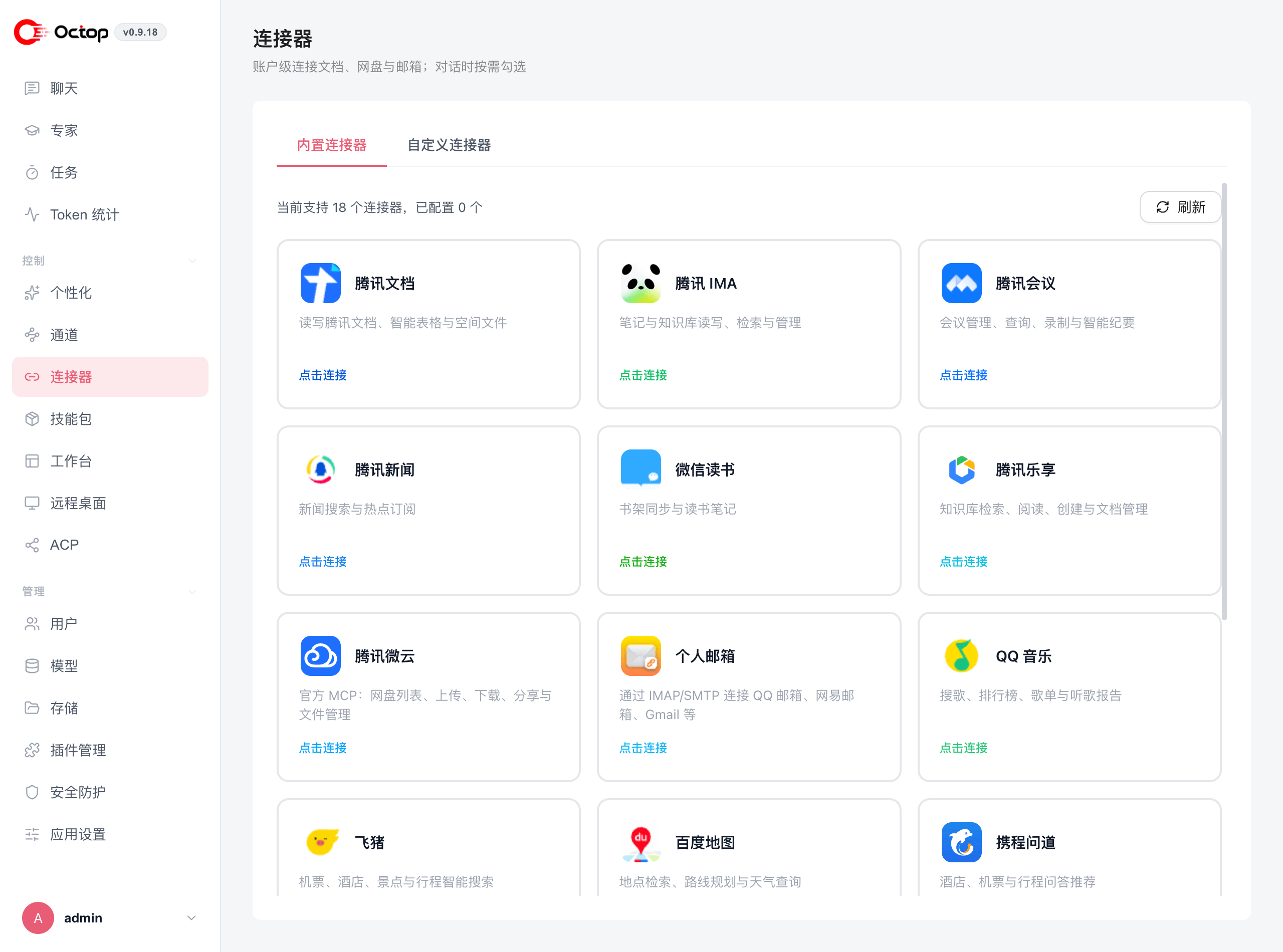
Built-in connectors
Octop ships built-in connectors (including catalog-driven MCP OAuth):
Connect a built-in connector
Open Connectors
Navigate to Connectors in the sidebar and stay on the Built-in connectors tab.
Pick a service
Find the connector you want and click Connect.
Authorise access
Complete the authorisation flow. Octop stores the resulting token under ~/.octop/secrets/ — it never leaves your machine.
Select it in chat
In a conversation, tick the connector instances the agent should be able to use. Shared instances appear for everyone who can see them.
Revoking authorisation from the external service invalidates the stored token. The agent reports a tool error the next time it tries to use that connector. Re-authorise from the Connectors page to restore access.
Custom connectors (MCP)
The Model Context Protocol (MCP) is an open standard for connecting AI agents to external tool servers. Under Connectors → Custom connectors you can register any MCP-compatible server, either through the visual editor or by pasting JSON:
Two server types are supported:
A stdio server must be installed on the machine running octop run, and an HTTP server must be reachable from it. Custom MCP over public HTTPS can use OAuth: Octop discovers the authorization server (401 / RFC 9728), requires dynamic client registration, stores encrypted tokens, and injects Authorization: Bearer when loading tools. Loopback MCP URLs skip remote OAuth discovery.
For streamable HTTP custom MCP servers, Octop can also complete OAuth when the server exposes standard protected-resource metadata. Save the server first, run Probe connection, then follow One-click OAuth if the probe says authorization is required. Non-loopback OAuth callbacks must use a public HTTPS Octop URL.
Turn on Selected by default in chat when you want Octop to include that custom MCP server automatically in Dashboard, IM, and cron runs that do not make an explicit connector selection. Leave it off when you prefer to choose the server per chat turn.
How connectors appear to an agent
From the agent's perspective, every active connector — built-in or MCP — is simply a tool available during a conversation. When you ask the agent to do something that needs an external service, it picks the appropriate tool, calls it, and folds the result into its reply. You do not need to invoke tools manually.