

Delegate Coding Tasks to CLI Tools via ACP
Octop can delegate coding subtasks to external AI coding CLIs — OpenCode, Claude Code, CodeBuddy, Codex, Kimi Code, Cursor CLI, Pi, or your own custom tool — through the built-in acp_runner tool. You install the CLI on the machine running Octop, enable it on the ACP page, turn on the acp_runner tool for your agent, and then ask your agent in chat to use it. Communication uses stdio JSON-RPC; there is no HTTP ACP endpoint.
Setup
Install the CLI tool
Install the CLI for the runner(s) you want on the same machine where octop run executes. For example:
Install Kimi Code to provide the kimi command. Install Cursor CLI to provide the agent command.
Configure a model in the CLI
Each CLI tool runs on its own model and credentials, independent of Octop. Set up the model and authentication inside the CLI itself before enabling it — for example run opencode auth login and pick a model, or complete claude / codex login. If the CLI has no working model configured, the runner will start but return no useful output.
Open the ACP page
In the sidebar, open ACP. This page is visible to administrators.
Enable the runners you want
Toggle on the runner cards you need. Runner configuration is shared across every agent on the account.
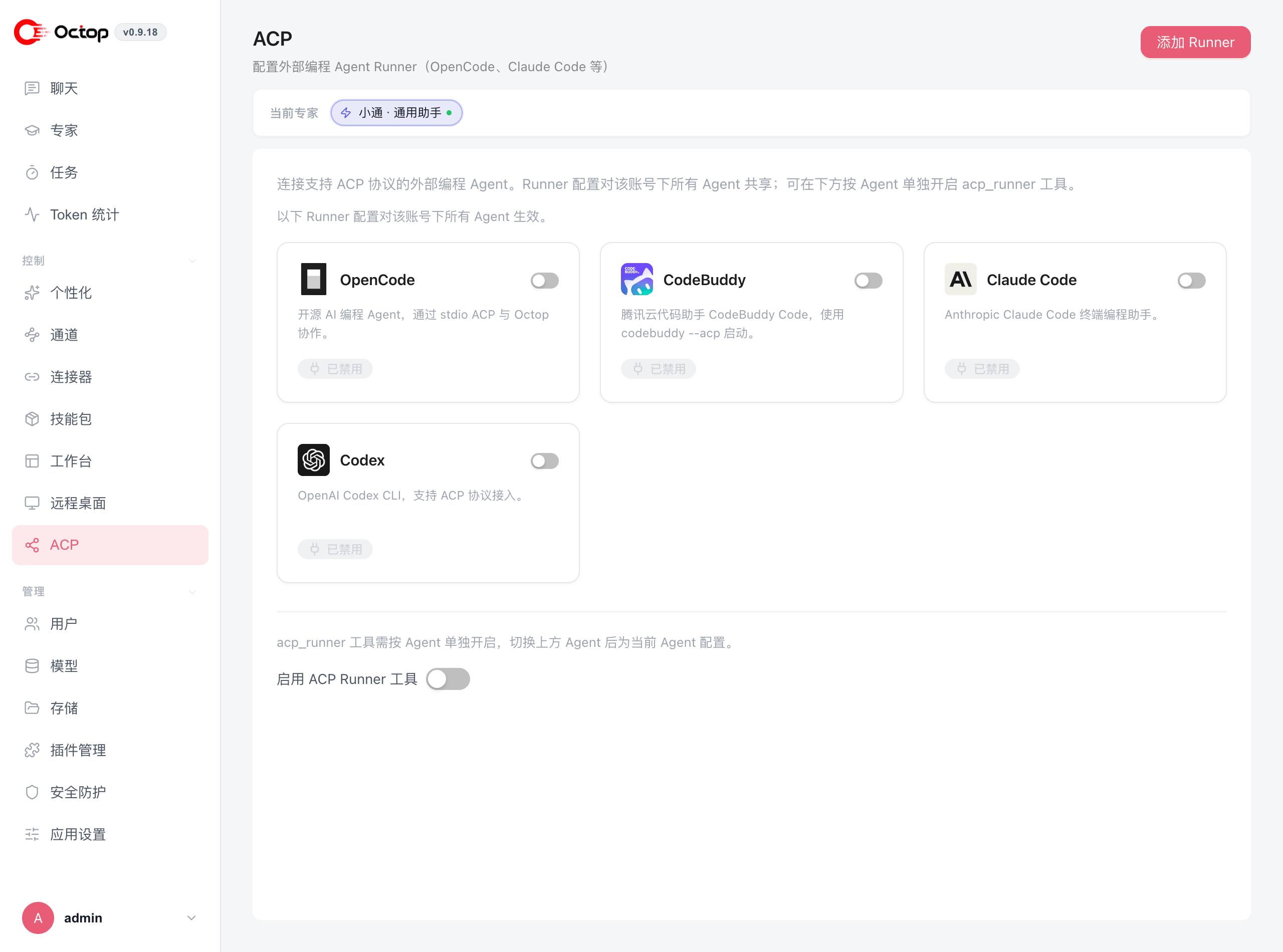
Enable the acp_runner tool for your agent
Select your agent in the top bar, then turn on Enable ACP Runner tool at the bottom of the same page. Unlike runner configuration, this toggle applies per agent.
Delegate in chat
In chat, ask your agent to use acp_runner — for example, "Use acp_runner with opencode to find the README and summarise it." Your agent handles the session lifecycle and surfaces any permission prompts inline.
Built-in runners
Built-in runners cannot be deleted. Add custom runners from the Add runner button on the ACP page.
acp_runner tool workflow
When your agent uses acp_runner, it drives the external tool through these actions:
Permission prompts from the external tool appear inline in chat. You can pick an option yourself or instruct the agent to call action=respond with the option id.
If the runner executable is not on PATH in the environment where octop run starts (common with system services), set an absolute path in the runner's command field — for example /usr/local/bin/opencode instead of just opencode.
Troubleshooting
Runner start fails with 'Unknown runner'
The ACP service cache is process-wide. After adding a new custom runner, restart octop run so the change takes effect.
External runner returns no text
The CLI tool likely has no working model configured, or has an authentication or quota issue. Configure a model inside the CLI and check its own auth status — for example, run codebuddy auth status or verify your API key for the relevant service.
Kimi Code, Cursor CLI, or Pi fails to start
Run the built-in command on the Octop host first. Kimi Code requires kimi and its login flow. Cursor CLI requires agent login or CURSOR_API_KEY. Pi requires Node.js and network access the first time npx -y pi-acp downloads the adapter.